Android: Upon "Sync Failed", can't go back

Feedback & Bug Reports / Feedback & Fehlerberichte

Android: Upon "Sync Failed", can't go back
WeWe
12.02.2026 19:32 #1

I entered my paperless-ngx information, used an API, and clicked login. The next screen is this "Syncing Data" which failed. The only option is to "retry", but since one of the settings was wrong apparently, retry doesn't work. I cannot return to the sign-in screen to adjust my inputs, pushing the "back" button doesn't go anywhere. I would have expected a "back" or "change settings" or something to allow me to correct my inputs instead of being stuck on this sync failed screen.
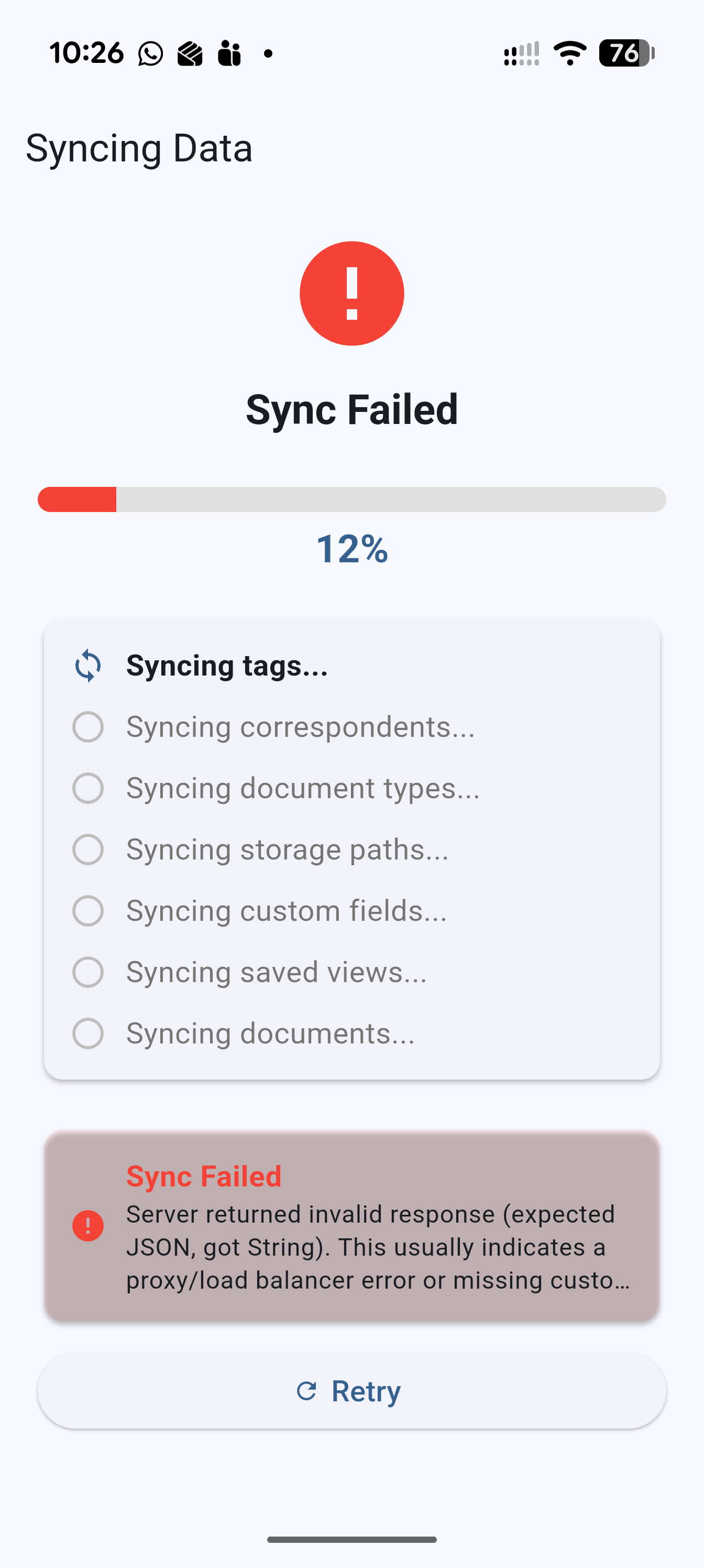
Showing sync fail

Re: Android: Upon "Sync Failed", can't go back
Björn Ternes Team
19.02.2026 20:28 #2

Hi Wewe, 

does your account have limited permissions? 

Best Regards,
Björn

Re: Android: Upon "Sync Failed", can't go back
WeWe
20.02.2026 01:40 #3

The error is caused by the lack of the correct custom headers. But the "Sync Failed" error is not what I'm reporting.  I'm reporting that there is no way to go back from this error screen, and there should be a way to go back to correct the inputs.

The app is working for me after I put in the right inputs. I'm just wanting you to be aware that not being able to go back from this "Sync Failed" screen makes it impossible to correct those inputs.